

Teams and team wallets
Attribute Enterprise usage to a staff-loaded team wallet.
Enterprise is a plan on a Coda user. Teams are the grouping axis inside that account. There is no Coda project entity.
Each team has its own staff-loaded wallet (team_credits). Runs billed to a team draw from that wallet and are reported with billed_team_id. Creating teams is Enterprise-only.
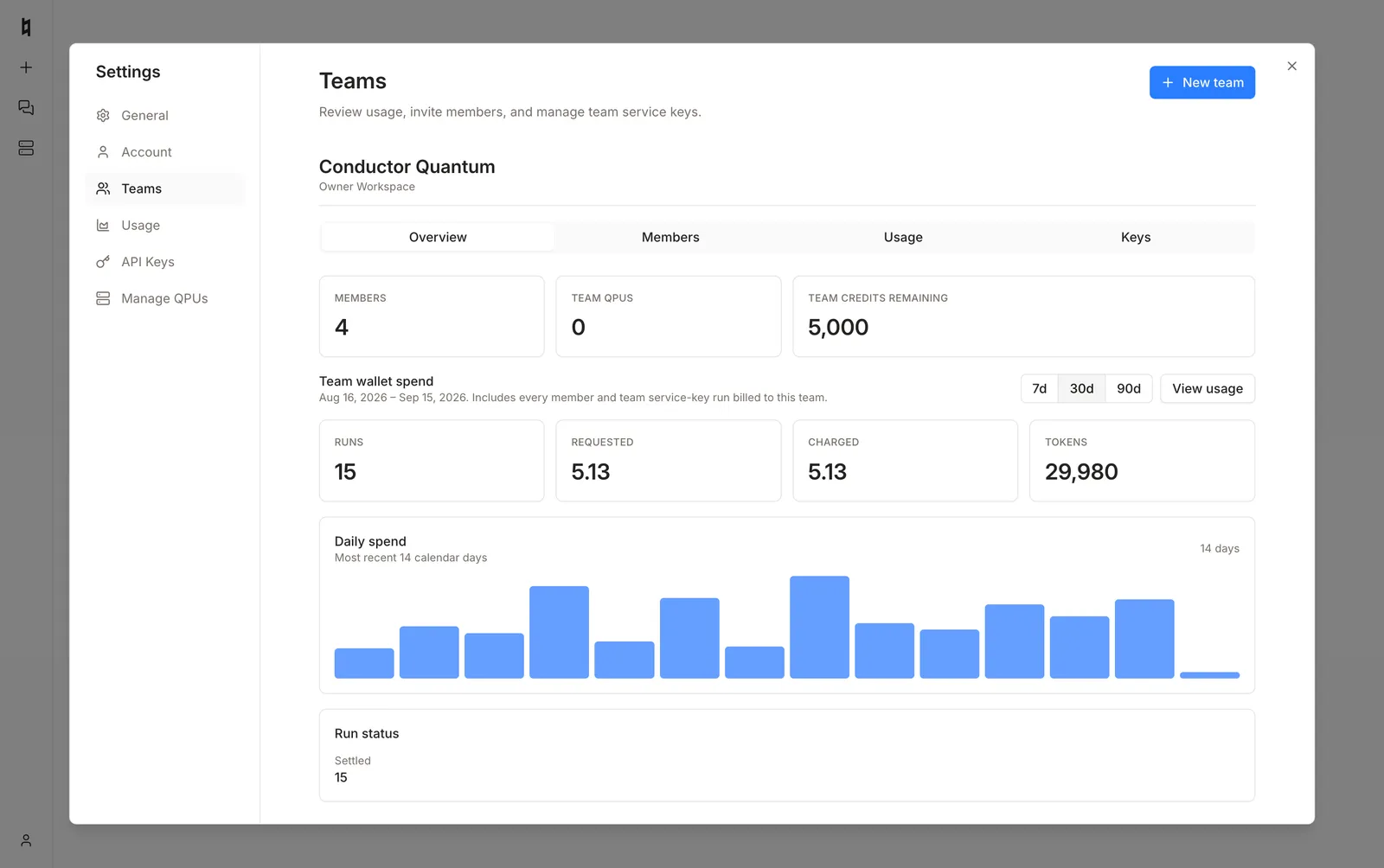
Open Settings → Teams from the user menu, or go to /chat?settings=teams. The Overview tab shows member count, remaining team credits, and wallet spend.
Wallet selection
Wallet selection depends on the token and the request:
A short team wallet returns 402 even when the personal wallet is funded. The request never falls back to the personal wallet. Load each team wallet (by Conductor staff) before billing runs to it.
POST /qpus accepts the same optional team_id field.
Members
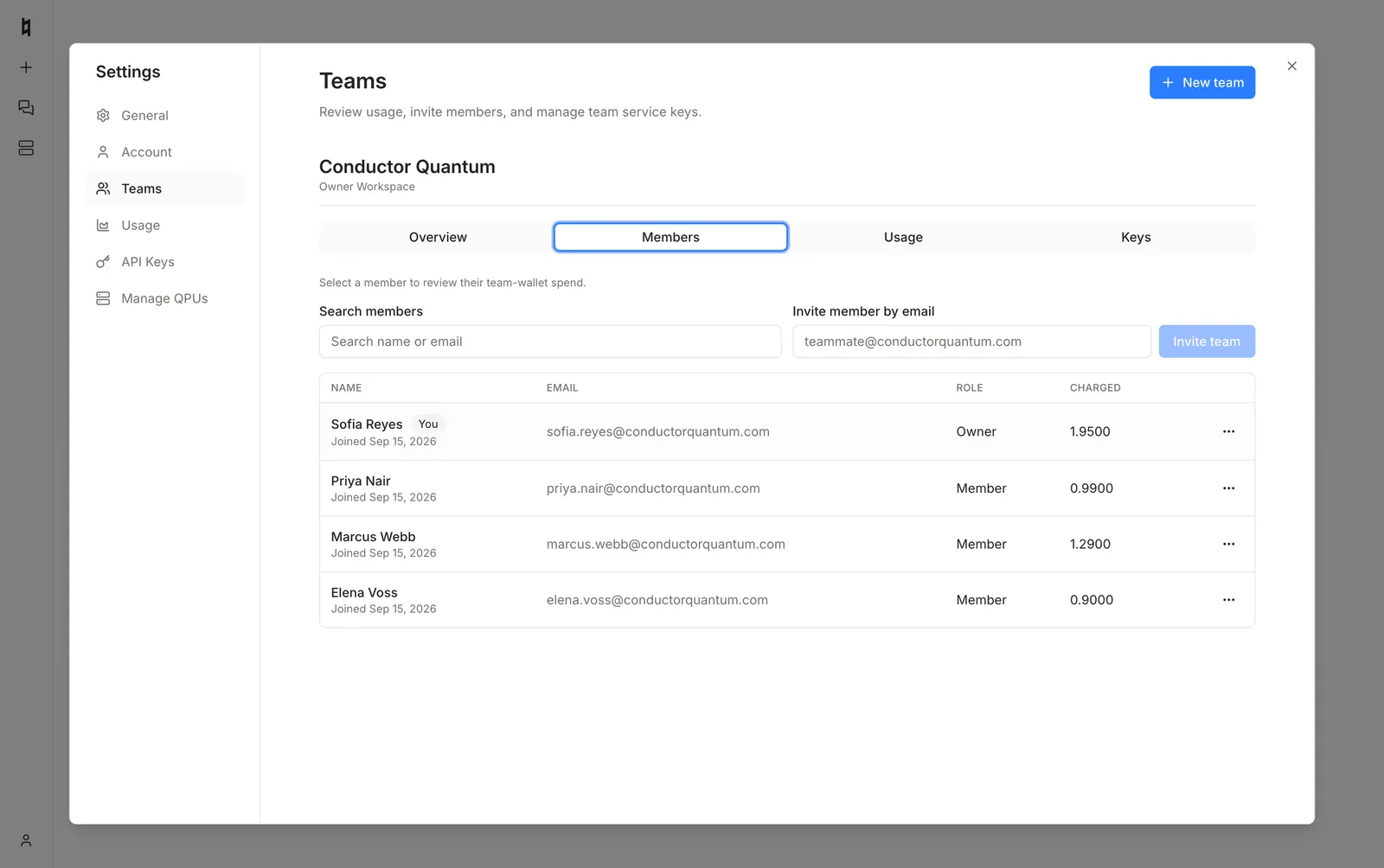
Owners invite members by email. The roster shows role and charged credits for the selected window.
The same roster is available from the API. These endpoints use the same bearer token (mcp:read or agents:run) and are not available on /mcp.
A team service-account token returns only its own team.
GET /teams/{team_id} returns each member’s user_id, email, role, and joined_at. Owners and team service-account tokens also receive that member’s requested/charged credits and tokens for the query window (since / until). Non-owner members see the roster without other people’s spend.
Usage
The Usage tab lists attributed queries for the team wallet. Export CSV from the same view.
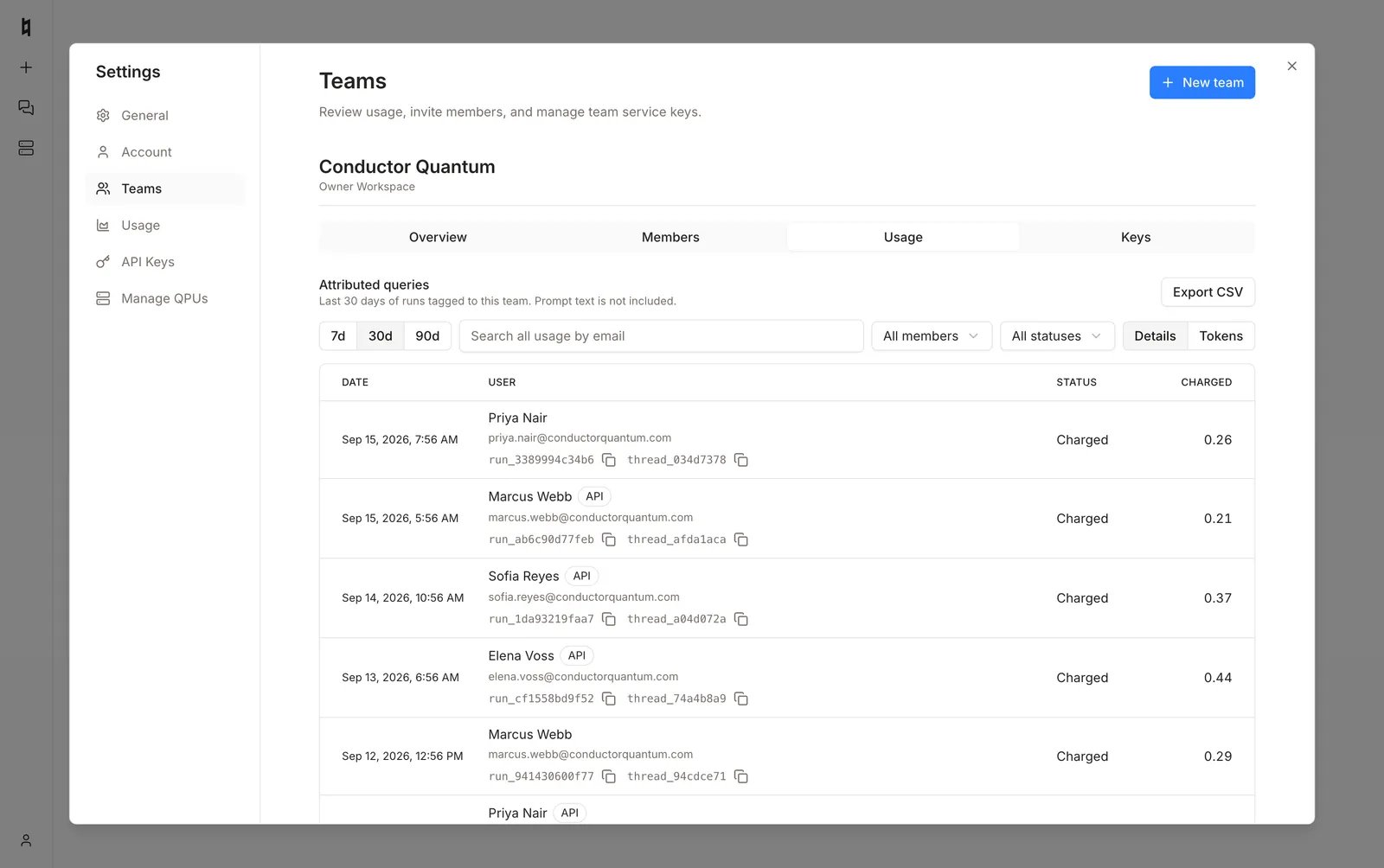
Attributed usage is also available at GET /usage/teams/{team_id}. Charge fields and the pull API are on Usage and credits. Organisation-level remaining credits and the credit ledger stay under Settings → Billing.
Keys
Enterprise owners mint personal tokens and team service-account keys here. Secrets are shown once.
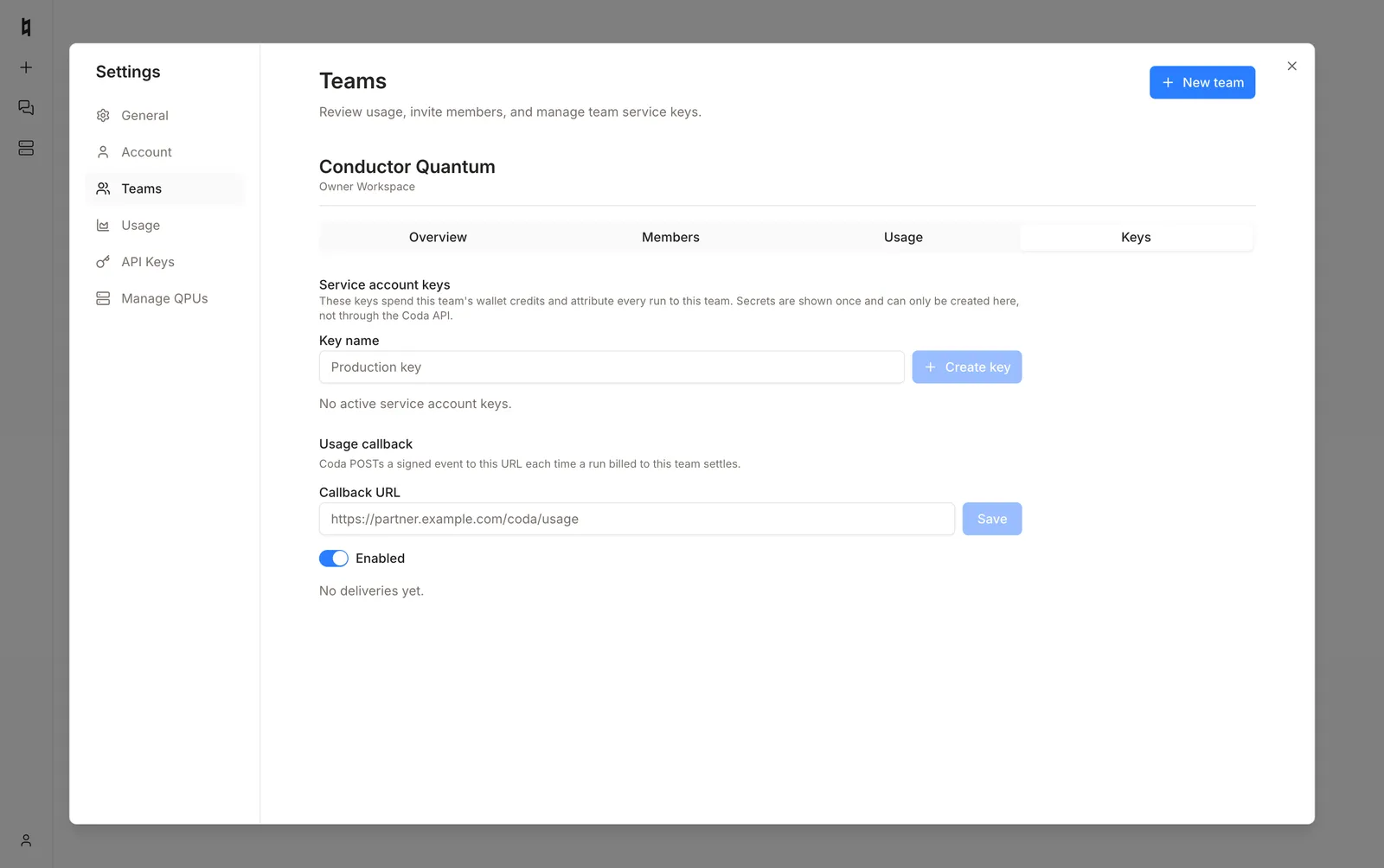
API keys cannot be created through the Coda API.
The same tab configures a signed usage webhook. See Usage callbacks.
See the Coda API Reference for full schemas.