Using Coulomb Diamond Models
Installation
We recommend using pip, poetry, or uv to install the package.
Authentication
The SDK requires an API key for authentication. Sign in and create a new API key. Remember, your API key is your access secret—keep it safe with environment variables.
Using environment variables:
Or provide the API key directly:
Usage Examples
Using the Coulomb Diamond Segmenter v0
The Coulomb Diamond Segmenter is a binary segmentation model that segments a given conductance measurement grid into coulomb diamond regions.
You can download an example file to follow along with the example:

Coulomb Diamond Segmenter v0 Input Data. (Data Source: Lennon, D., et al. Real measurement of Coulomb diamonds. 2019. Zenodo, https://doi.org/10.5281/zenodo.2559478.)

Using the Coulomb Diamond Detector v0
The Coulomb Diamond Detector v0 is a model that detects Coulomb Diamond structures from a binary segmentation mask.
You can download an example file to follow along with the example:
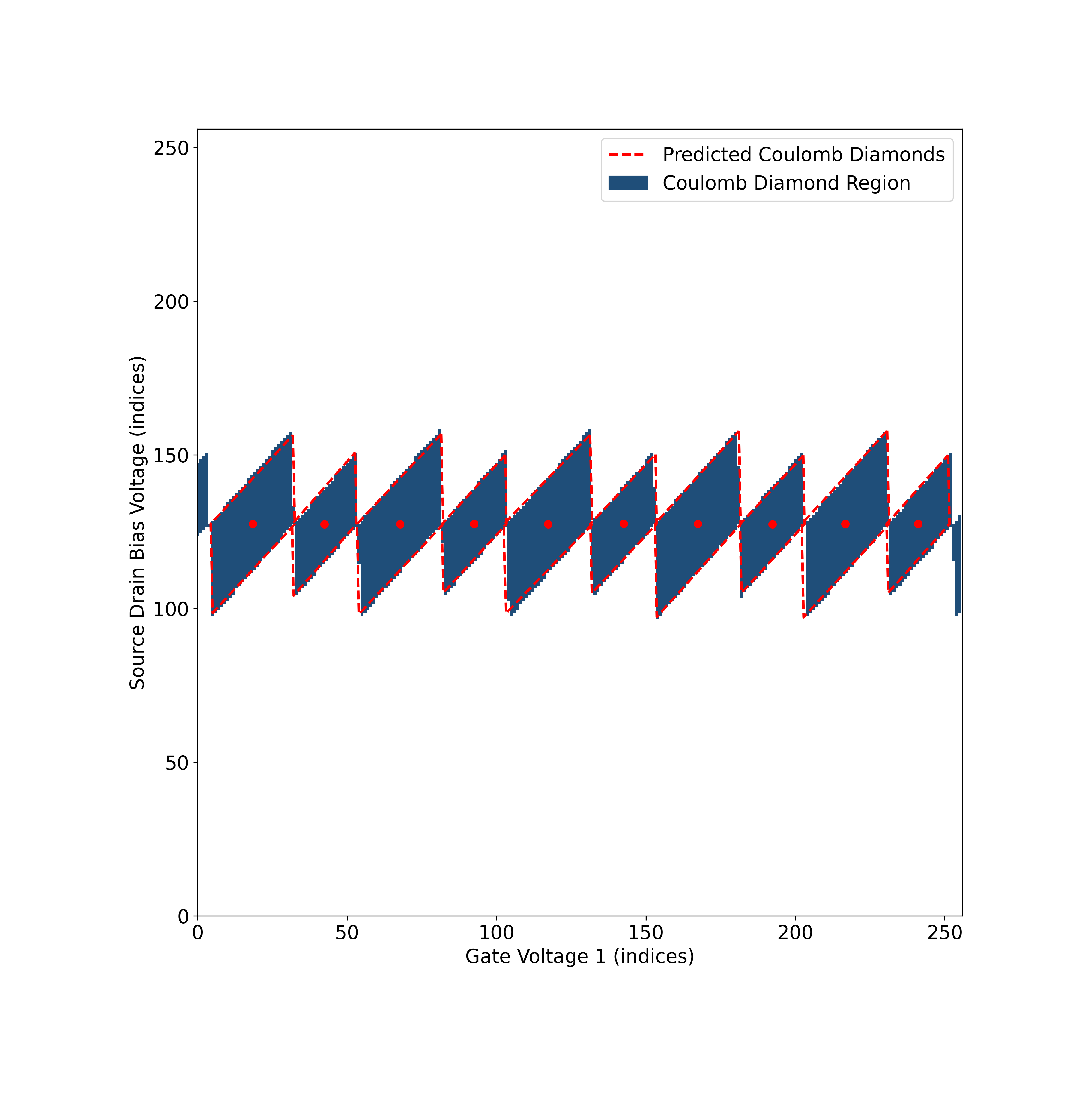
The four diamond keys “left”, “right”, “bottom” and “top” correspond to each vertex of the detected Coulomb diamond.
Plotting the Output
Use the following script to visualize detected coulomb diamonds from the v0 model.

The Coulomb Diamond Detector can detect multiple coulomb diamonds. Download the following example to try it.
Using the Coulomb Diamond Detector v1
The Coulomb Diamond Detector v1 is a single-stage model that detects Coulomb diamond structures directly from raw conductance data. Unlike the v0 workflow that requires first segmenting the data with the Segmenter, the v1 Detector can be used standalone for end-to-end diamond detection.
You can download an example file to follow along with the example:
Plotting the Output
Use the following script to visualize detected coulomb diamonds from the v1 model.
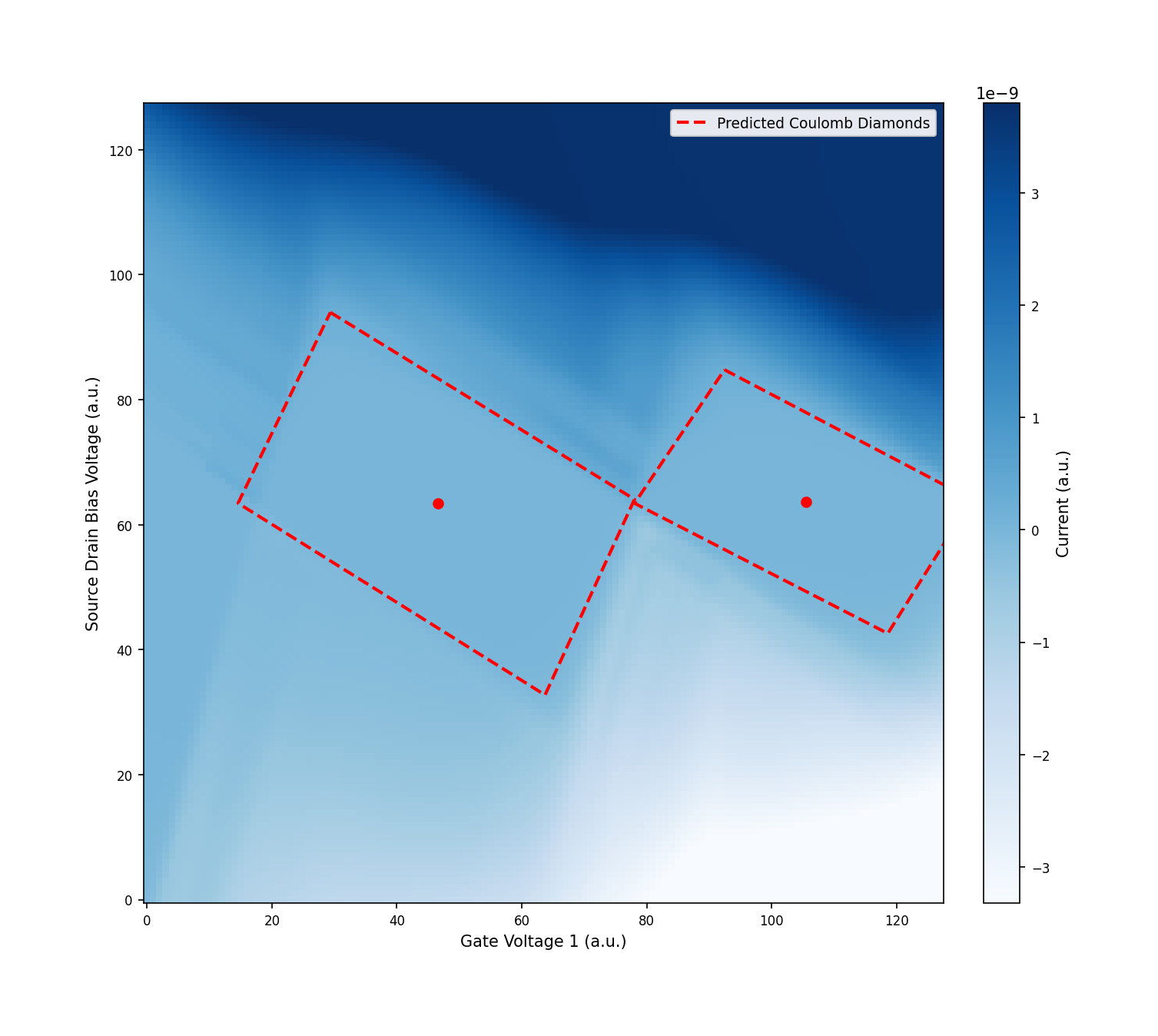
Coulomb Diamond Detector v1 Output. (Data Source: Lennon, D., et al. Efficiently measuring a quantum device using machine learning. 2019. Zenodo, https://doi.org/10.5281/zenodo.2559478.)
Using the Coulomb Diamond Detector v2
The Coulomb Diamond Detector v2 detects Coulomb diamond structures directly from current measurement data and returns the vertices of each detected diamond. Unlike v0 which requires a segmentation mask as input, v2 works directly on raw 2D current measurement grids.
Use the Coulomb Diamond Detector v2 when you have:
- A 2D current measurement grid (e.g., current as a function of gate voltage and source-drain bias) that contains Coulomb diamond patterns
- You want to extract the vertex coordinates of each diamond for further analysis (e.g., extracting charging energies, lever arms, or gate capacitances)
This model is a single-step solution — no prior segmentation is required.
You can download an example file to follow along with the example:
Plotting the Output
Use the following script to visualize detected coulomb diamonds from the v2 model.
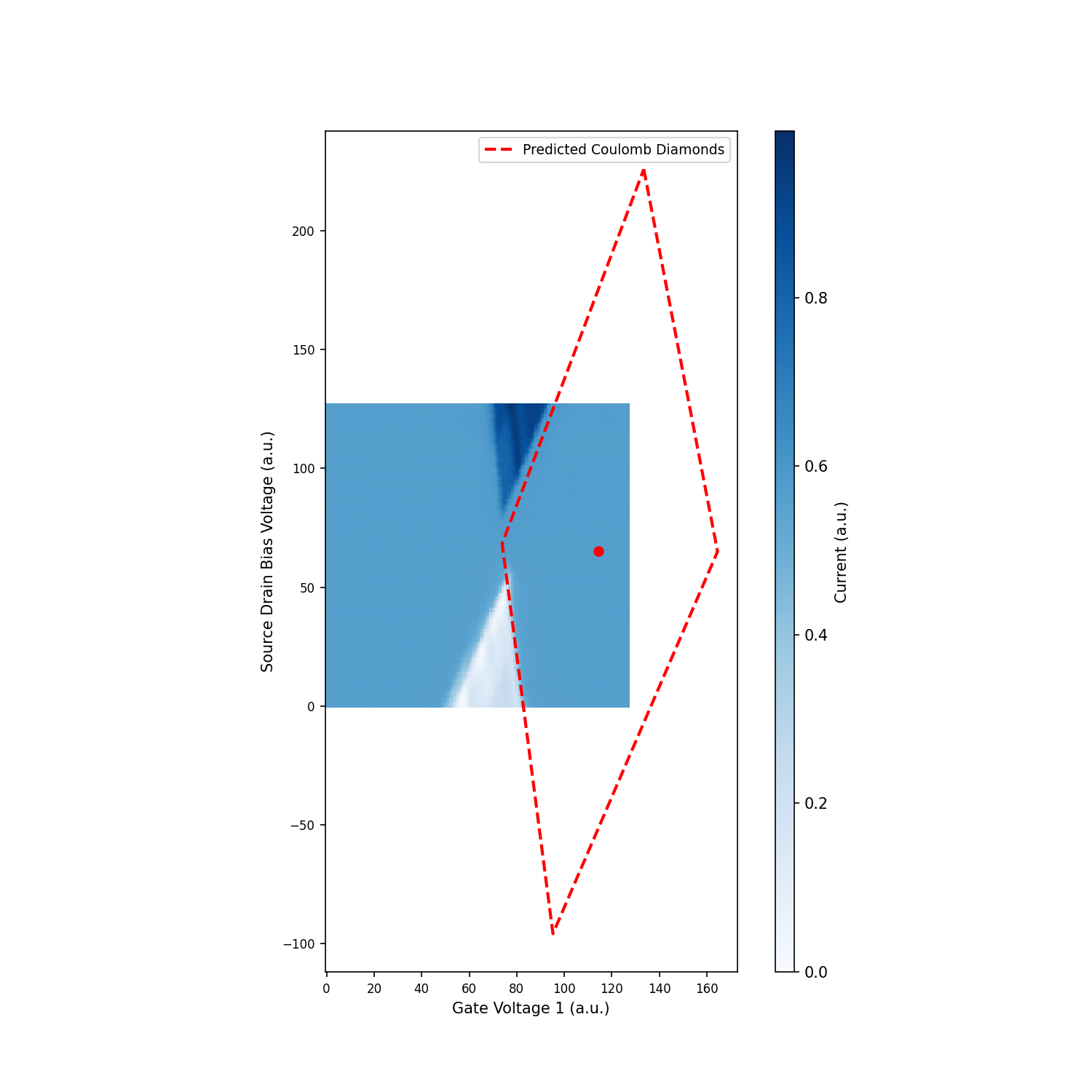
Coulomb Diamond Detector v2 Output. (Data Source: Lennon, D., et al. Efficiently measuring a quantum device using machine learning. 2019. Zenodo, https://doi.org/10.5281/zenodo.2559478.)
Important Notes for Coulomb Diamond Models
- Input dimensions: Input dimensions should ideally match the specified resolution of the model for the best results. You may need to interpolate or downsample your data to match the required shape. You can find the required input shapes for each model on the models overview page.
- Data format: Input data should be a 2D numpy array representing a conductance measurement grid as a function of two gate voltages.
- Output format:
- The Segmenter outputs a binary mask where 1.0 indicates regions of Coulomb Blockade (i.e., the diamond region) and 0.0 indicates regions of current flow.
- The Detector outputs diamond vertices in pixel index coordinates. Each diamond is represented by four vertices: “left”, “right”, “bottom”, and “top”.
- Model workflow:
- v0 (two-stage): The Coulomb Diamond Segmenter and Detector v0 models are designed to be used sequentially. First, use the Segmenter to create a binary mask, then use the Detector v0 on that mask to identify diamond vertices.
- v1 (single-stage): The Coulomb Diamond Detector v1 is a single-stage model that detects diamond vertices directly from raw conductance data. No segmentation step is required.
- v2 (single-stage): The Coulomb Diamond Detector v2 is a single-stage model that detects diamond vertices directly from raw conductance data. No segmentation step is required.
- Drop-in replacement: v2 uses the same output format (
diamond_verticeswithleft,top,right,bottomkeys) as v0 and v1, so it can replace previous versions without changing downstream code. - Model versions: Higher version numbers typically indicate improved accuracy and performance. Check the models overview for the latest available versions.