

API tokens
A Control API token lets your scripts list labs, discover experiments, submit and cancel jobs, and read results without a browser session. It acts as you, within the lab and scopes you give it.
Control API tokens start with cqk_. The deprecated Models product uses Models API keys for the conductorquantum SDK and hosted analysis models. The Conductor CLI uses a separate login to connect your instrument client or qm-qua to your lab.
Create a token
-
Open API tokens in Control and sign in.
-
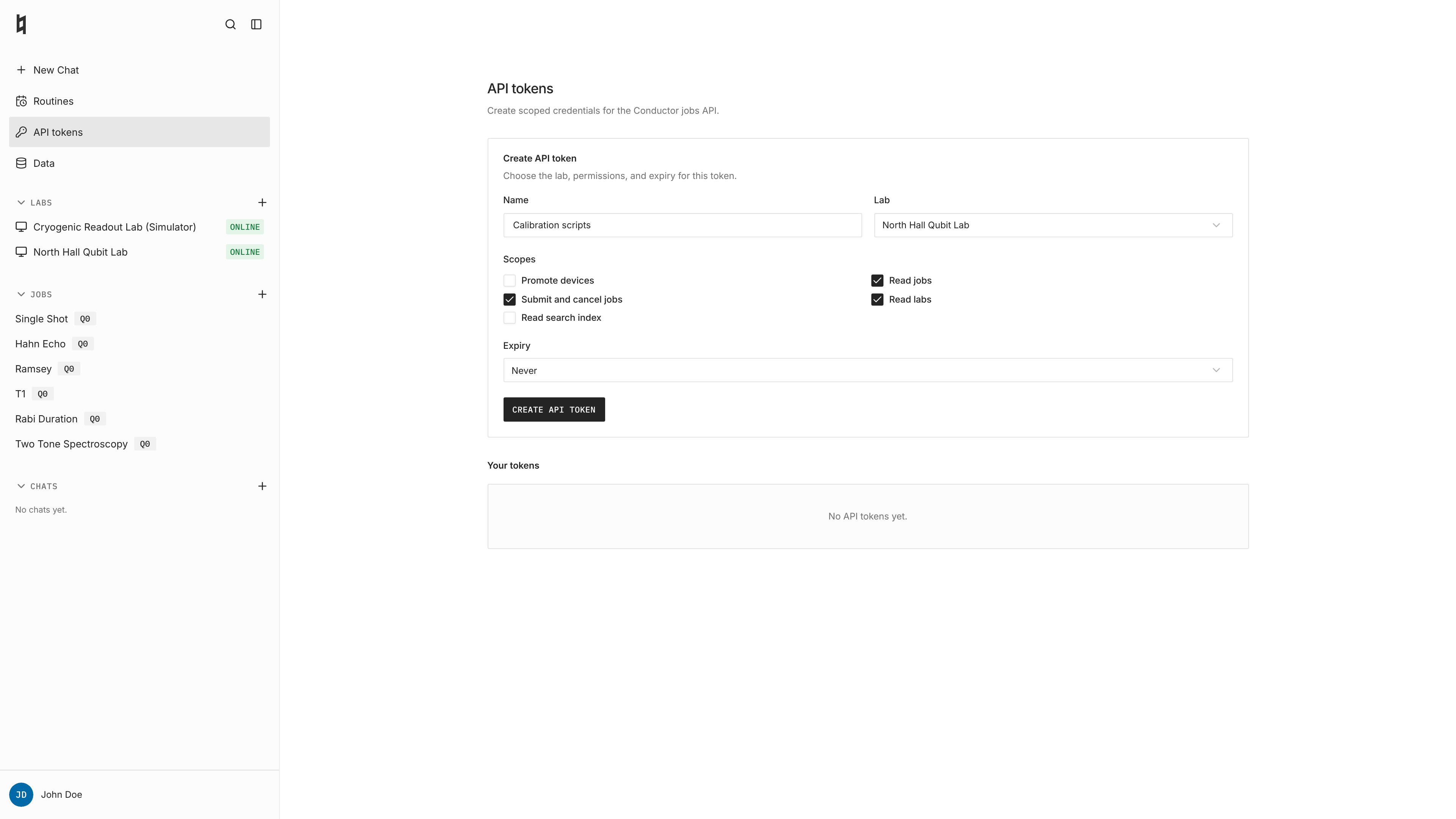
Under Create API token, enter a Name that says where the token will be used.
-
Choose the Lab the token may use.
-
Select its Scopes. For lab and job operations, choose only what your script needs:
To list labs only, select Read labs and clear the other scopes.
-
Choose an Expiry: 30 days, 90 days, or never.
-
Select Create API token, then copy the token. It is shown only once; Control stores only its hash.
Store the token in a secret manager or an environment variable, never in code or a notebook you share. A token can do only what you can: if you lose access to its lab, the token loses it too.
Use the token
Set CONTROL_API_TOKEN securely in your shell environment. Send it as a bearer token. For example, list your labs:
Look up the experiments you can run and their parameters:
Before you submit a job, check the lab, targets, and parameters against your approved hardware limits. Set LAB_ID to the lab’s ID. Generate one key for this submission:
Run the request only when authorized. For a retry within 24 hours, use the same key and identical request body. Do not regenerate the key for that retry.
Set JOB_ID to the returned job’s id. To check its status, run:
A job’s status says whether it finished running; scientific_success says whether its result passed acceptance. See Get a job for scopes and responses.
A submitted job can operate real hardware. Check its targets and parameters before submitting, and inspect a job’s recorded outcome before retrying it.
Revoke a token
Open API tokens, find the token in the list, and select Revoke. Requests with it fail at once with 401. The list also shows when each token was last used and when it expires; revoke any token you no longer use, and replace a token you think was exposed.