

Schedule a routine
- Open your lab in Control and select Run job.
- Under When to run, select Save a scheduled routine. Enter a name, a repeat interval, and the first run in your local time.
- Choose the experiment or workflow, its targets, and settings. Review the configuration and connection warnings. Confirm the acknowledgement and select Save routine (paused). No job starts yet.
- In Routines, find the routine and select Enable. Check the next run and confirm Enable schedule only when recurring hardware runs are authorized. If the scheduled time has passed, the routine can run as soon as the lab is ready.
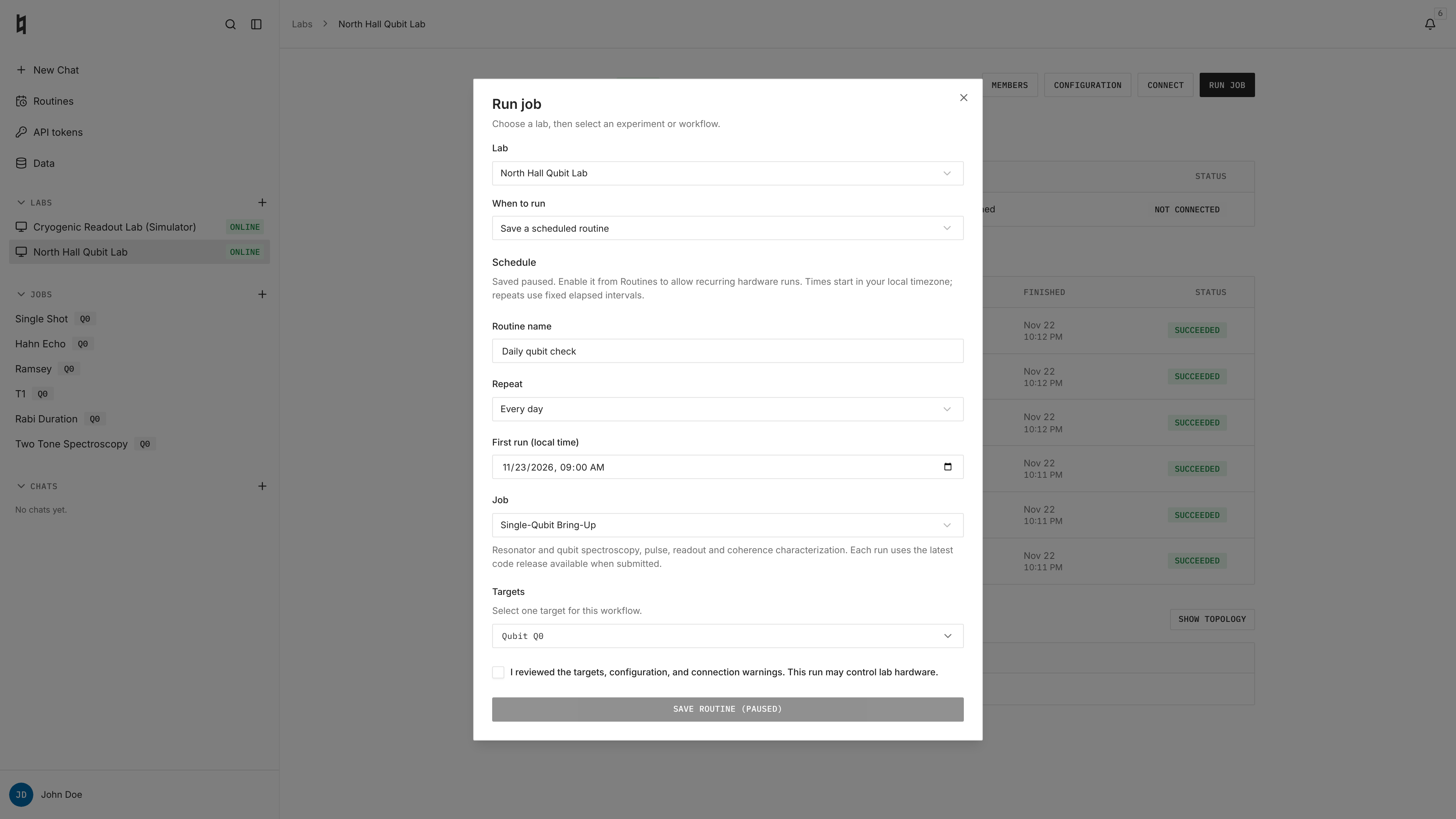
Each run uses the current configuration and saved device parameters. A daily repeat is every 24 hours, even across a daylight-saving change. To stop future runs, select Pause. Pausing does not cancel a job already queued or running. Editing a routine saves it paused again.